
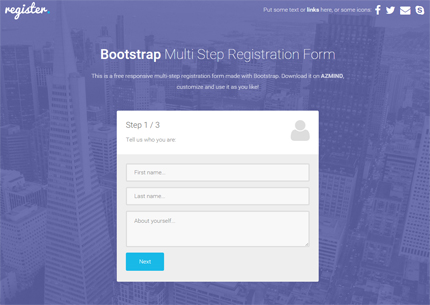
After the 3 registration forms published a few weeks ago, today I took the same design and code, made some small modifications and created a multi step form that you can download for free as usual.
The new registration form template is responsive and made with Bootstrap, CSS3 and jQuery (and also HTML, obviously). These types of forms are often used when you need to collect a large number of data in your websites or applications, resulting in a nice and never boring user experience.
Some other features are: fullscreen background, Font Awesome icons, Retina ready, simple jQuery form validation, etc. Below you’ll find the full list of features, the live preview link and the download link. Enjoy!
Want to Save this Article?
You might also like:
BootZard – Bootstrap Form Wizard Template
Features
- Multi-step Registration Form
- Responsive Layout (Bootstrap framework, v3 at the moment)
- Fullscreen Background
- Simple jQuery Form Validation (to prevent users from leaving empty fields)
- Font Awesome icons
- Retina ready
Preview Images
Step 1
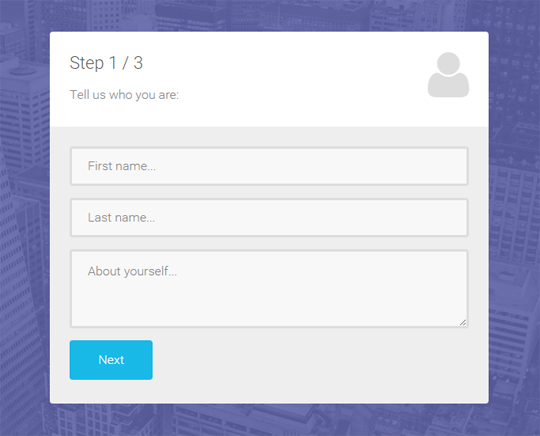
Step 2
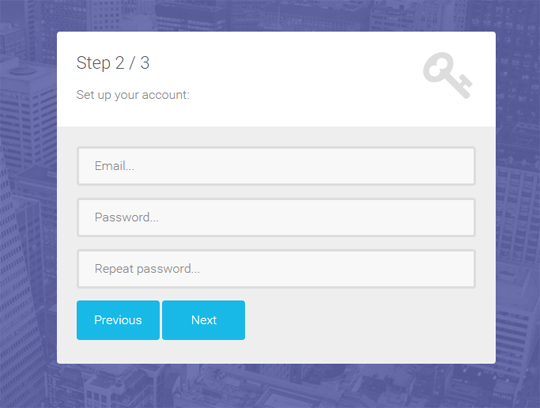
Step 3
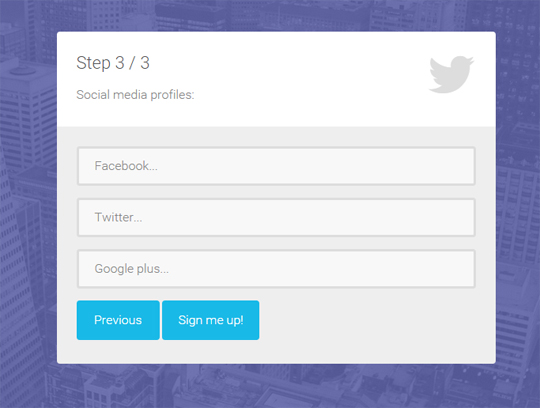
How To Use The Template
Use the “index.html” file to modify the HTML code. The style can be changed from the CSS files in the “css” folder (assets/css).
In the template I have also used some Javascript (jQuery) for the form validation and the fullscreen background. You can find this code in the “scripts.js” file (assets/js).
The images are located in the “img” folder (assets/img). When you change the images, make sure you create also the “@2x” version (double size images) for Retina devices (iPhone, iPad).
Demo, Download and License
DOWNLOAD:
LICENSE:
You can use this multi-step registration form template in personal and commercial projects, but you can’t sell or distribute it directly, “as is”. If you plan to use it, a link to this page or any form of spreading the word will be much appreciated.
Photos by: StockSnap.io
Want More?
If you need a template with more layouts, color schemes and features, along with free support and free updates, you should take a look at the premium template Marco:


Hi this is really awesome i love what you have done. I know its asking for a lot but would you consider a step by step tutorial for this ?
This is really awesome!
Now, how can we go into validating fields before users go to the next step?
As of now, it only checks if values are empty:
if( $(this).val() == “” ) {
$(this).addClass(‘input-error’);
next_step = false;
}
Thanks and keep up the good work!
Thanks!
It depends what and how you want to validate them.
You can use only Javascript or you may need to validate them from the server, using PHP for example.
Hi, could you make a tutorial modal form submission using BOTH client-side and Server-side validation? thank you
I know this is almost a year old but anyway to add or just tell me how to make a dropdown field required.. Ive modified everything and it all works but I just cant get the dropdown to be required.. thx!
I might write a tutorial about this in the next days.
How do you make certain “text” fields optional on the other fieldsets? Right now they are all requiring values.
Came across this today. Really sleek implementation, great work!
Thanks!
Great work, really good stuff.. Only tiny bit of constructive criticism Id make about the form – is if you want to customise, then you really need to rewrite a whole load of the JS file.. The validator is too global and also doesn’t include support for radio buttons, check boxes etc. Furthermore, there is no support for when inputs are not required. Aside from that – great..
I’m glad you like it, Julia.
Thanks for the comment and the suggestions!
Yes, I know, the validator is very simple. I’ll add new features in the next version.
Nice work! Would be nice to have a review step.
Question – how do you make the submit button link someone (when the form is valid)?
Thanks!!
Good evening, is there a way to use jQuery Validate with its Multi Step? I did some research and still could not make the integration between the two, if that is possible will become much easier and effective way to validate the forms.
If you have created something can help in research?
in your form tage add this : enctype=”multipart/form-data”
to look like
Your fields here…..
Then use php to upload and save the file
2097152) {
$errors[] = ‘File size must be excately 2 MB’;
}
if (empty($errors) == true) {
move_uploaded_file($file_tmp, $target_dir . “/” . $file_name);
$success= “Error! File uploaded “;
} else {
$dataErrors = “Error!” . $errors . “”;
}
}
?>
hi,
the form looks great, but is there a way that i could remove the validation,
cause i’m after a multistep form that looks just like your but “blanck” so there for with out the text boxs
any help will be much aprecciated
Great Work man,Great Work.I am using your wizard in a project in aspnet,But i observed that when using controls that av AutoPostback, it keep going back to the first step.
Very nice. I would like to get the value of a textinput in step1 and display it in step 2 in the form-top-left paragraph. For some reason, i cant select the target element in the second fieldset. Any suggestions on how to do so ?
any feedback greatly appreciated.
when I add a hidden input field the whole form stops showing. any idea?
Thanks Anli.
This works like a charm. Really amazing template to use. 🙂
I have successfully customized it for my application.
One problem I am facing is with the ‘select’ in forms. This would take the CSS settings from bootstrap.min.css, where as the other elements such as text, textarea would inherit from form-elements.css. I added the options for ‘select’ in form-elements.css, but bootstrap.min.css still takes priority.
I am trying to find out where the CSS priority is set.
I’m glad you like it Manoj 😉
You can use the Chrome Console to try to find why the bootstrap.min.css takes priority. You might need to add some additional classes to your select field. Or you might want to use the CSS “!important” property, though I’m not a big fan of it.
If you Google “css classes priority”, I’m sure you’ll understand why this is happening.
Hi,
It looks like I may be the only one struggling.
I have transferred the elements but my folder structure is not the same. I believe I fixed the links but the background is not coming in.
I am fairly new to dev.