Mini Icons Series: #1 Arrow Icons Set

Mini Icons Series: #1 Arrow Icons Set

While I was preparing the second part of the “under construction” page tutorial I came up with the idea of launching an icons series and since I like very much mini icons, this first series will be a mini icons series. Every icons set of the series will contain icons of the same theme for example: internet, media, business, etc.

So, today the first set of the series is an Arrow Icons Set containing 24 icons. It comes in PSD version so you can change the colors and effects as you like and use the icons in your websites and applications. All the icons are shapes and can be resized without losing quality. You can download this icons set from the link below. Enjoy!

Read more

Create a Bold “Under Construction” Page, Part 1: Photoshop

Under Construction Page

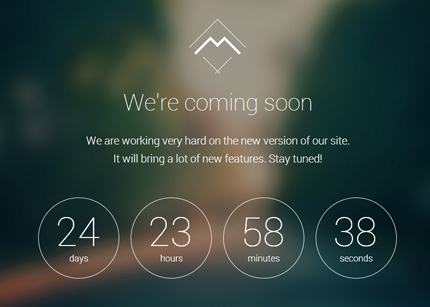
Creating an “under construction” page is very important when you’re launching a new website or product, or when you’re redesigning an established website. This way you can inform the users of the remaining time to the website’s launch and you can even start to collect their emails for notifying them when the site is ready. A well designed “under construction” page can catch the attention and can make your website or product look more professional in the users’ eyes.

So, today I’m going to show you step by step how to design an “under construction” (or coming soon) page in Photoshop. You can download the PSD file at the end of this tutorial. In the second part of the tutorial I’m also going to code this page in HTML/CSS/jQuery.

Read more

Bold Input Field, PSD

Bold Input Field

This is a bold input field that you can use in your next website. I was designing a new HTML template these last days (probably I’ll write a tutorial about it and I’ll publish it here soon) and this input field is part of the template. It comes in PSD version so you can customize it as you like and use it as a search field or as a newsletter subscription form.

Read more

Analog jQuery Clock + PSD

Analog jQuery Clock + PSD

Today’s free web design resource is a glossy analog clock. I created it using jQuery and the jQueryRotate plugin following this tutorial. The clock is available in the coded version, HTML/CSS/jQuery and also in the PSD version for changing the colors and effects. You can also resize it and just use it as an analog clock icon in your projects.

Read more

Clean Search Form, CSS3/jQuery + PSD

Clean Search Form, CSS3/jQuery + PSD

The search form is a very important part of a website allowing users to find quickly the content they are searching for. A well designed search form makes a website look professional and modern. So today’s web design resource is a clean search form. It’s available in the coded version, ready to use, and in the PSD version for changing the colors and effects as you like.

Read more

Remaining Time Counter, CSS3 + jQuery

Remaining Time Counter, CSS3 + jQuery

A remaining time counter is very useful when you are designing a coming soon page. It displays the time remaining to a project launch or to a website opening. So, today’s free web design resource is a dark countdown timer. I designed this timer using CSS3 and the jQuery countdown plugin from Martin Angelov of tutorialzine.com. I think CSS3 offers a lot of graphic effects that, when combined with jQuery, can add a lot of functionality to a web page.

Read more